Every ticket program eventually hits the same wall: someone needs an answer, and the report that has it doesn’t exist yet.
Maybe it’s finance asking for cost per distributed ticket by venue. Maybe it’s a regional director asking how ticket usage trended over the last two quarters. Maybe it’s you, trying to figure out which office is sitting on the most unused inventory before renewal season.
Whoever’s asking, the process usually looks the same: pull data from a few places, build a spreadsheet, apply the right formulas, double-check the math, and hope nothing changes before you send it. If IT or a data team is involved, add a wait.
Ticket Booth’s newest update to its Reports tab is built to remove that step entirely.
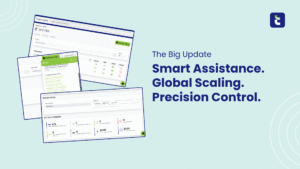
Ticket Booth’s Reports section has been upgraded with more templates and a new AI-powered reporting tool. Reports are now organized into six categories, each built around a different business question:
One detail worth flagging for teams managing more than one product: Ticket Booth, Ticket Pass, and Ticket Consignment each have their own dedicated reports page. This update applies to Ticket Booth’s reporting experience specifically — it’s not a blanket change across all three products.

This is the category doing the heavy lifting. Instead of building a report from scratch or waiting on someone else to build it, you ask a question in plain language — something like “Which venues had the highest cost per distributed ticket this quarter?” — and get a built, saved report back.
No formulas. No waiting on IT. Just an answer, ready when you need it.
A few specifics on how it’s designed to work in practice:
The result is a reporting tab that behaves less like a static dashboard and more like an analyst who already knows your data — available the moment a question comes up, not after a ticket gets filed with IT.
Speed is the obvious win, but the bigger shift is who gets to ask the question in the first place.
Reporting has historically been gatekept by whoever knows the spreadsheet or the query language. That means insight often arrives late — after the renewal decision, after the budget’s already been set, after the venue relationship needed reviewing. When any team member can ask a direct question and get a credible, built report back, reporting stops being a bottleneck and starts being a habit.
For marketing and sales leaders trying to justify ticket spend, that means pulling utilization data before a budget conversation instead of after. For operations teams, it means catching a venue with a consistently high cost-per-ticket before renewal season, not after the invoice arrives. For finance, it means fewer ad hoc requests landing on someone else’s desk.
None of this changes what your ticket data can tell you — it changes how fast you can ask it questions. A program that only reports quarterly, reactively, or when someone remembers to check, is leaving decisions on the table. A program where any stakeholder can query usage, cost, or distribution trends in seconds treats that data the way it should be treated: as an asset that informs decisions in real time, not a record kept for after-the-fact justification.
That’s the direction Ticket Booth’s Reports tab is heading — fewer static templates that go stale, more direct answers that keep up with how fast questions actually come in.
If you haven’t explored the updated Reports tab yet, it’s worth a look — especially the AI Custom Reports category, which is available now inside Ticket Booth. If you have questions about the new tab or want help building out custom reports for your program, your account manager can walk you through it.
And if your team is still managing ticket usage, cost, or distribution through spreadsheets and email chains, it might be time for a broader conversation.
Book a demo to see how Ticket Booth’s reporting tools — and the rest of the platform — can give your team faster, clearer answers about where your ticket investment is going.
Looking for more information or want to schedule a free demo? Let’s chat!
By submitting this form you agree to be contacted and receive additional communication, including emails from Ticketnology.